
Quick answer: how should you protect a seed phrase?
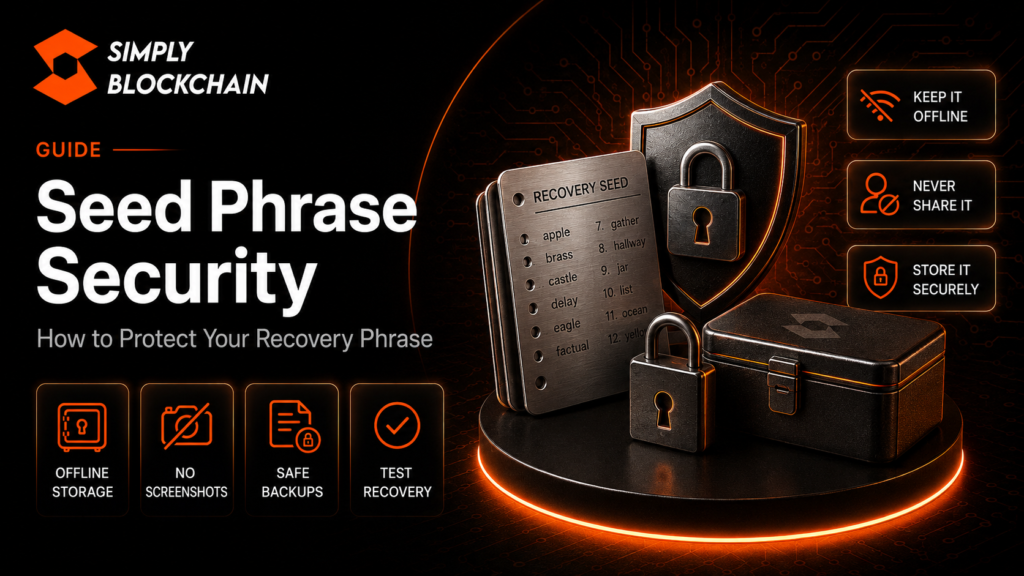
Seed phrase security comes down to one rule: treat your recovery phrase as the master key to your wallet. Keep it private, keep it offline where practical, make at least one durable backup, and never enter it into a website, message, form or support chat because somebody asks you to. Anyone who obtains the phrase may be able to restore the wallet and control the accounts derived from it.
A wallet password and a recovery phrase are not the same thing. A password usually protects access to a particular wallet app or device. A recovery phrase can restore the wallet itself. That is why losing a password may be inconvenient, while exposing a seed phrase can be far more serious.
If you are new to self-custody, read our beginner guide to crypto wallets first, then use this guide as the security layer that sits on top of it.
On this page
What is a seed phrase?
A seed phrase, recovery phrase, mnemonic phrase or Secret Recovery Phrase is a human-readable backup used by many self-custody wallets. Wallet software can use it to derive the cryptographic keys that control one or more blockchain accounts.
The exact terminology varies by wallet provider, but the security principle is the same: possession of the recovery phrase can provide control over the wallet. MetaMask explains that its Secret Recovery Phrase can restore the entire wallet and the accounts derived from it, while individual accounts have their own private keys.
This is why the phrase is not simply a login code. It is a recovery mechanism with much greater authority than a normal website password.
Seed phrase versus password versus private key
These three terms are often mixed together, but they perform different jobs:
- Wallet password: usually unlocks the wallet application on a particular device.
- Private key: controls a specific blockchain account and allows transactions to be signed.
- Seed or recovery phrase: can be used to derive and restore a set of wallet accounts and their keys, depending on the wallet design.
Changing the password on a wallet app does not normally change the underlying blockchain keys. Likewise, somebody who has your recovery phrase may not need your local wallet password at all: they can potentially restore the wallet elsewhere.
For a deeper explanation of individual account keys, see our dedicated Private Keys Explained guide once the rest of this security cluster is published.
Why seed phrase security matters so much
Self-custody removes the traditional account-recovery safety net. There is no central provider that can simply reset a blockchain private key after it has been copied by an attacker. Ethereum’s security guidance states that a recovery phrase is effectively the master key to the wallet and warns users never to share recovery phrases or private keys.
That creates two opposite risks:
- Theft risk: somebody else gets a copy of the phrase.
- Loss risk: you lose every usable copy and later lose access to the wallet.
A good backup system has to manage both. Hiding the only copy so well that it can never be recovered is not good security; nor is making ten convenient digital copies that can all be stolen remotely.
Rule 1: never share your recovery phrase
No legitimate wallet support agent needs your recovery phrase to troubleshoot a normal problem. No giveaway, airdrop, verification page, exchange employee, Telegram admin or Discord moderator needs it either.
Scammers often create urgency: your wallet is supposedly at risk, your account must be verified, an upgrade is required, or funds can only be recovered if you enter the phrase. The wording changes, but the objective is the same — convince you to hand over the key voluntarily.
Ethereum’s current security guidance explicitly warns never to share a recovery phrase or private keys and notes that no legitimate service or support agent should ask for them.
Rule 2: avoid screenshots and casual digital copies
A screenshot feels convenient because it is quick and readable. The problem is that screenshots may be included in device backups or synchronised to cloud photo libraries. Notes, email drafts, messaging apps and unencrypted text files create similar problems.
Ethereum also warns against screenshots of seed phrases and private keys because cloud syncing can expose sensitive material to an attacker who compromises an account.
For most users, the safer default is to record the phrase offline during setup and keep the backup away from internet-connected accounts and devices. If you deliberately choose a digital backup method, you need to understand the encryption, access controls, recovery process and failure modes rather than assuming a file is safe because it has a password.
How to store a seed phrase offline
The simplest backup is often a clearly written paper copy stored somewhere private and physically secure. The words must be legible, in the correct order and protected from accidental disposal.
Paper has weaknesses: fire, water, fading, tearing and simple loss. For people protecting larger or long-term holdings, a metal backup designed to withstand heat and water can add physical durability. The important point is not the brand of backup product; it is that the recovery information remains accurate, readable and inaccessible to unauthorised people.
Should you keep more than one copy?
A second backup can protect against one location being destroyed or becoming inaccessible. But every additional copy is another object that must be secured. Two carefully controlled copies in separate secure locations may be more resilient than a single copy, while dozens of copies create unnecessary exposure.
Should you split the phrase in half?
Improvised splitting can create new failure modes. If you store half the words in one place and half somewhere else, losing either half may make recovery impossible. More advanced backup schemes exist, but beginners should not invent their own cryptographic system unless they fully understand its recovery process.
Do not type a seed phrase into random websites
There are legitimate moments when a recovery phrase may need to be entered — for example, restoring a wallet in the official wallet application. The danger is treating every phrase-entry screen as legitimate.
Before restoring a wallet, obtain the application from the provider’s official source, verify the domain carefully and avoid links sent by strangers. MetaMask’s official recovery phrase guidance repeatedly warns that the phrase must not be shared.
If a website claims it can “sync”, “validate”, “rectify”, “upgrade” or “unlock” your wallet by asking for the phrase, assume it is dangerous until independently proven otherwise.
Recovery phrase security when using a hardware wallet
A hardware wallet keeps private-key operations isolated from a normal internet-connected computer, but the recovery phrase remains critical. If somebody gets the phrase, the hardware device itself may no longer protect those accounts because the attacker can restore the keys elsewhere.
During hardware-wallet setup, follow the device manufacturer’s official instructions and confirm sensitive backup information on the trusted device where required. Never photograph the phrase for convenience.
Our hardware wallet setup guide covers the broader cold-storage process.
Should you test your recovery backup?
A backup is only useful if it is accurate. Check spelling, word order and legibility when you create it. Some hardware wallets provide a recovery-check feature that lets you validate a backup on the device without exposing it to a website.
Do not test a seed phrase by entering it into an online “seed checker”. If you are unsure how your wallet’s official recovery-check process works, consult the wallet manufacturer’s documentation first.
What if you lose your seed phrase?
If the wallet is still accessible, do not wait for the device to fail. Follow the wallet provider’s official recovery or backup instructions. Depending on the wallet, you may be able to reveal the existing phrase while authenticated, or you may decide to create a fresh wallet and migrate the assets.
If you have lost the phrase and also lose access to every device or login method capable of restoring that wallet, recovery may be impossible. MetaMask’s documentation stresses the importance of backing up the Secret Recovery Phrase because the provider cannot simply retrieve a traditional self-custody phrase for you.
What if someone may have seen your seed phrase?
Treat a potentially exposed recovery phrase as compromised. Do not assume it is safe simply because no funds have moved yet.
- Create a new wallet using a fresh recovery phrase on a trusted device.
- Back up the new phrase securely.
- Move assets you still control to addresses from the new wallet, prioritising valuable or easily transferable assets.
- Review token approvals and connected applications where relevant.
- Secure the device and accounts involved in the original exposure.
- Stop using the compromised phrase for future funds.
If unauthorised transactions have already occurred, follow our existing crypto security guide and the dedicated compromised-wallet response guide in this pillar.
Common seed phrase scams
Fake support
A scammer pretends to be wallet support and asks for the phrase to diagnose a problem.
Fake wallet recovery tools
A website claims it can recover lost funds, repair a wallet or validate the phrase.
Airdrop and mint phishing
A fake claim page eventually asks for the phrase or prompts a malicious transaction.
Remote-access scams
An attacker persuades the victim to install screen-sharing or remote-control software and then watches sensitive information being revealed.
Cloud-backup exposure
A phrase stored in screenshots, notes or email can be exposed if the connected cloud account is compromised.
Our crypto scams and phishing guide covers the broader warning signs.
Seed phrase security checklist
- I know where my recovery phrase is stored.
- The words are accurate, legible and in the correct order.
- I have not shared the phrase with anyone.
- I have not stored casual screenshots or plain-text cloud copies.
- My backup is protected from theft, fire, water and accidental disposal as appropriate.
- Any second copy is stored separately and securely.
- I know how to access the wallet provider’s official recovery instructions without relying on links from strangers.
- I understand that a wallet password is not a substitute for the recovery phrase.
- I would treat any suspected exposure as a reason to migrate to a fresh wallet.
Frequently asked questions
Is a seed phrase the same as a private key?
No. A recovery phrase can be used to derive multiple accounts and keys in many wallet designs, while a private key normally controls one specific account.
Can I change my seed phrase?
You generally do not edit an existing recovery phrase. If you need new recovery credentials because the old phrase is compromised, create a new wallet with a new phrase and migrate the assets.
Is it safe to keep a seed phrase in a password manager?
That is a security trade-off rather than a universal yes or no. A strong encrypted password manager may be safer than an unprotected note, but it still creates a digital attack surface. For a high-value self-custody wallet, many users prefer an offline backup.
Can wallet support recover my phrase?
Traditional self-custody wallets are specifically designed so the provider does not hold the secret needed to restore your wallet for you. Follow the provider’s official documentation for the exact recovery options available in your setup.
Should I memorise my recovery phrase?
Memory can be an additional layer, but it should not normally be the only backup. People forget information, and illness or injury can make a memory-only plan fail.
Final thoughts
A recovery phrase is one of the most sensitive pieces of information in self-custody. Good seed phrase security is deliberately boring: accurate backups, controlled physical storage, no casual digital copies, no sharing and no rushed decisions when somebody asks for it.
Build the habit before there is an emergency. If the phrase is ever exposed, assume the security boundary has failed and move to a fresh wallet rather than hoping nothing happens.
This guide is for educational purposes only. Security choices should reflect your own threat model, wallet design and the value you are protecting.
Related Crypto Security Guides
Continue through the Simply Blockchain security library with the guides most relevant to this topic.
