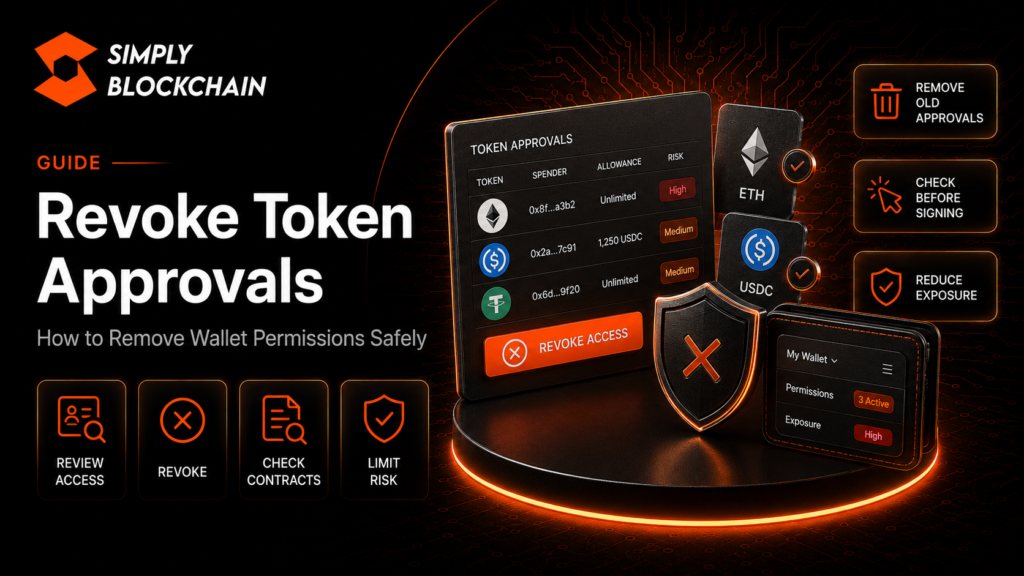
Quick answer: how do you revoke token approvals?
To revoke token approvals, use a trusted wallet tool or the approval checker for the blockchain you are using, review which contracts have permission to spend your tokens, and submit an on-chain revocation transaction for any allowance you no longer want. Because the change happens on-chain, a network fee may be required.
Revoking an approval is different from disconnecting a wallet from a website. Disconnecting removes the site’s current connection to your wallet interface. Revoking an allowance removes the smart contract’s permission to spend the approved token amount.
This guide explains what approvals are, why they exist, when to remove them and how to avoid creating unnecessary exposure in the first place.
On this page
What is a token approval?
Many decentralised applications need permission to move a token from your wallet as part of an action you requested. A decentralised exchange, for example, may need an allowance before its smart contract can transfer the token you want to swap.
With common token standards, you first approve a spender and then the spender can call the relevant transfer function up to the permitted amount. The approval itself does not always move the token immediately; it creates permission that can remain active until changed or revoked.
MetaMask’s token approval documentation explains that users should understand which contract is being granted permission and what that permission means.
Why token approvals are not automatically bad
Approvals are part of normal DeFi and web3 use. Without them, many swaps, lending platforms and other smart-contract applications would not be able to interact with your tokens.
The security problem is not that an approval exists. The problem is approving the wrong spender, approving more than necessary, or leaving old permissions active long after you stopped using an application.
Unlimited approvals explained
Some applications request a very large maximum allowance so you do not need to approve the same token again every time you use the protocol. This saves time and may reduce repeated approval transactions.
The trade-off is exposure. If the approved spender turns out to be malicious, the contract is exploited or the application’s security assumptions fail, a broad allowance can create a larger potential loss than a tightly limited one.
Where your wallet lets you customise the spending limit, consider whether a smaller amount is sufficient for the transaction you are actually performing.
Revoking versus disconnecting a dapp
This is one of the most important distinctions for beginners.
- Disconnecting: removes the website’s active wallet connection and stops it from seeing or requesting things through that connection until you reconnect.
- Revoking: changes an on-chain allowance so the approved spender can no longer move the relevant token under that permission.
MetaMask’s revocation guide specifically warns that disconnecting and revoking are different processes.
When should you review token approvals?
There is no universal schedule, but reviewing permissions periodically is good wallet hygiene, especially if you use many decentralised applications.
Consider reviewing approvals when:
- you have stopped using a dapp;
- you approved a contract during a one-off mint or claim;
- a project reports a security incident;
- you clicked a suspicious link and signed an approval;
- you do not recognise the spender;
- you previously granted a very large or unlimited allowance;
- you are cleaning up an older active wallet.
How to identify existing approvals
Use a trusted approval-management interface that supports your network. MetaMask Portfolio can display allowances on supported networks, and major block explorers may provide token approval checkers.
Before connecting to an approval tool, verify the domain from an official source. Approval checkers are security tools, which unfortunately also makes them attractive names for phishing copies.
How to revoke an approval step by step
- Open the trusted approval checker. Navigate through a verified bookmark, wallet documentation or the official block explorer.
- Select the correct wallet and network. Approvals exist on individual chains, so Ethereum permissions are not automatically the same as permissions on another network.
- Review the spender. Look at the contract address, token and allowance amount.
- Choose the approval you want to remove. Do not revoke something simply because the contract name looks unfamiliar; verify what it is first if the wallet is actively using a protocol.
- Submit the revocation transaction. Confirm the network fee and sign it in your wallet.
- Wait for confirmation. The permission is changed when the revocation transaction is confirmed on-chain.
- Refresh and verify. Check that the allowance now shows as removed or reduced.
Why revoking costs gas
An approval is stored in blockchain state. Changing that state requires another transaction. MetaMask notes that revoking an allowance is therefore an on-chain action and requires gas.
If you have many old approvals, removing every one can cost money. Prioritise permissions that are high-risk, unknown, unnecessary or tied to valuable token balances.
Can you reduce an allowance instead of removing it?
Depending on the token and wallet interface, you may be able to set a lower spend limit instead of removing permission entirely. This can be useful if you still use the application but want to reduce exposure.
For a one-time transaction, approving only the required amount is often easier to reason about than leaving a broad allowance indefinitely.
What is setApprovalForAll?
NFT standards can use broader operator approvals that allow another address or contract to manage multiple assets in a collection. These permissions can be especially important to review after interacting with unfamiliar NFT marketplaces or claim sites.
The exact wording shown by your wallet may differ from a normal ERC-20 token allowance, so read the permission type rather than assuming every approval screen means the same thing.
What if you approved a malicious contract?
Act quickly but carefully. If the malicious approval is still active and assets remain, revoking it may prevent the spender from using that specific permission in future.
However, first work out what actually happened. If you also exposed a seed phrase or private key, revoking approvals is not enough because the attacker may have direct control of the account.
If you suspect a wider compromise, create a fresh secure wallet and follow the incident-response steps in our compromised-wallet guide rather than relying on one revocation.
Does revoking an approval get stolen funds back?
No. A revocation changes future permission. It does not reverse transfers that have already been confirmed.
The goal is to remove access before further use, not recover assets that have already left the wallet.
How token approvals relate to wallet drainers
Wallet-draining websites often try to make a malicious permission look like a routine step. A fake mint may request approval over valuable tokens, or a deceptive site may hide the importance of the spender and allowance.
That is why approval hygiene starts before the revocation stage. Read what the wallet is asking for and verify the site and spender before signing.
Our Crypto Wallet Drainers guide in this pillar explains these attacks in more detail.
Practical approval hygiene
- Use separate wallets for long-term storage and frequent dapp activity where appropriate.
- Limit allowances when the wallet provides a sensible option.
- Review the spender address rather than trusting a logo alone.
- Do not approve a token merely because a website says it is a harmless “verification”.
- Remove old approvals when you stop using a protocol.
- Take project security announcements seriously.
- Keep enough native network token for gas if you may need to revoke permissions quickly.
Token approval safety checklist
- I know the difference between disconnecting and revoking.
- I use a trusted approval checker for the correct network.
- I verify the spender address where necessary.
- I avoid unnecessary unlimited allowances.
- I review old approvals periodically.
- I understand that revocation itself costs network gas.
- I know that revoking cannot reverse a completed theft.
- If credentials are compromised, I migrate to a new wallet rather than relying only on revocation.
Frequently asked questions
Should I revoke every approval after every swap?
Not necessarily. That may create extra gas costs and inconvenience. The right balance depends on how often you use the protocol, the token value and your risk tolerance.
Can an approval drain every asset in my wallet?
An approval normally applies to a particular token or permission type, but broad operator permissions and multiple approvals can create significant exposure. Read the exact request.
Does disconnecting MetaMask remove token approvals?
No. Disconnecting a dapp and changing an on-chain allowance are different actions.
How often should I check approvals?
There is no mandatory interval. Active DeFi users may review them more frequently, while occasional users might check after one-off interactions, security incidents or when cleaning up a wallet.
Is a token approval the same as a transfer?
No. An approval grants spending permission. A later contract action may use that permission to move tokens.
Final thoughts
Token approvals are normal infrastructure, but they deserve the same attention as any other financial permission. Know which contract you are authorising, limit access when practical and remove permissions that no longer serve a purpose.
For the wider context, read our Crypto Security Guide and on-chain fundamentals guide.
This guide is educational. Approval interfaces and supported networks can change, so verify the latest instructions from your wallet or block explorer before signing a revocation.
Related Crypto Security Guides
Continue through the Simply Blockchain security library with the guides most relevant to this topic.
